
Consistent character AI: a workflow that holds
Vlad Aivor · · 6 min read

Consistent character AI is not a single magic prompt; it is a repeatable identity workflow. To keep the same character across images or video, lock references, face traits, wardrobe, proportions, color palette, and drift constraints. GPT Image 2, Nano Banana Pro, Midjourney 8.1, and Kling 3.0 behave far better when those constants are explicit.
- 1.
Build an identity card first
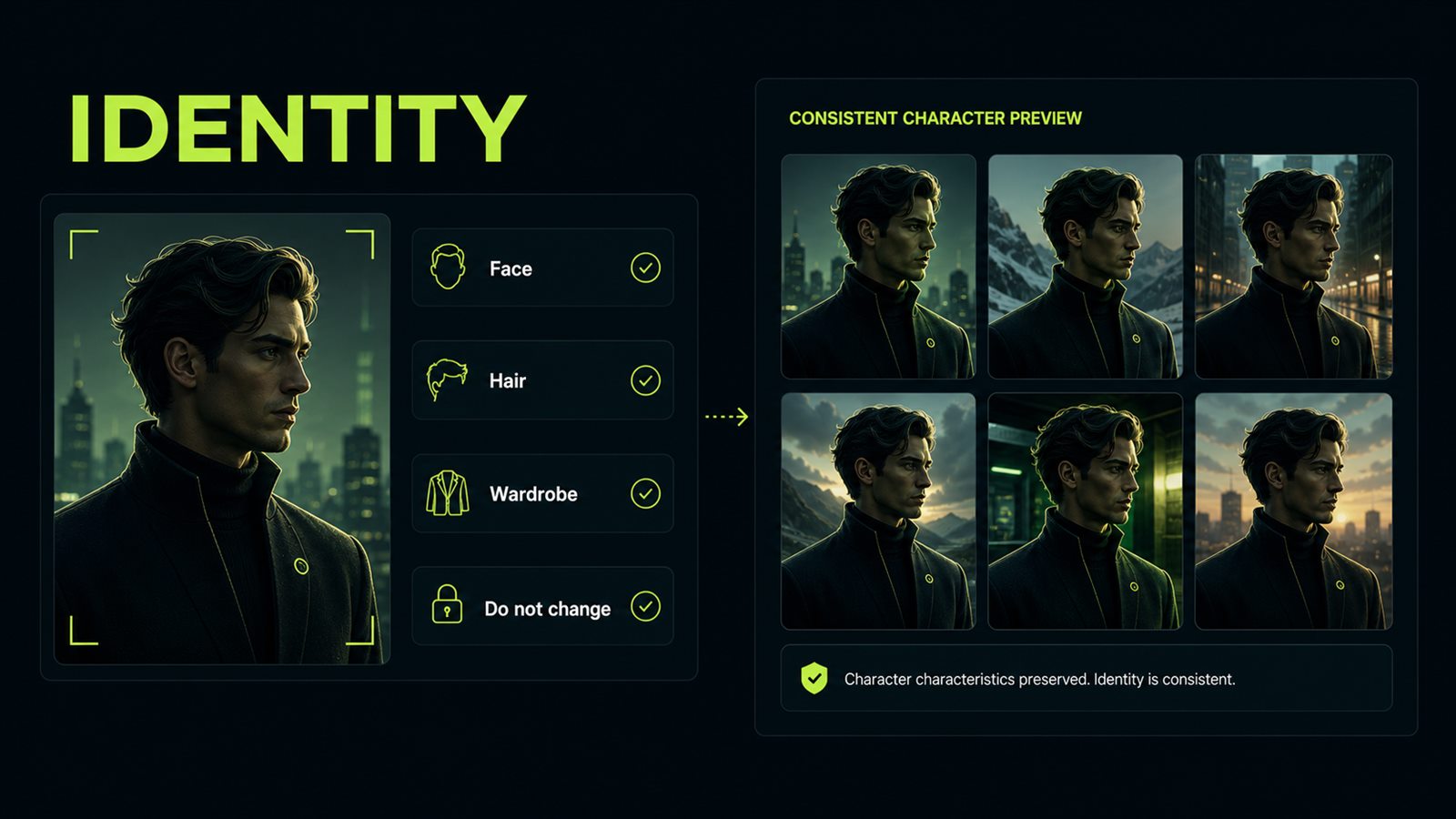
Start with an identity card, not a render request: age range, face shape, hair, memorable marks, silhouette, wardrobe, palette, and lighting style. For consistent character AI this matters more than aesthetic adjectives. The model needs to know which details make the person the same character and which details can vary between scenes. GPT Image 2 and Nano Banana Pro respond well to a brief with separate `Identity`, `Wardrobe`, `Palette`, and `Do not change` lines. Midjourney 8.1 usually works better with a shorter description repeated in every shot.
Before
Make a noir detective woman in several scenes.
After
Identity: woman detective, 32, oval face, short black bob haircut, small scar through left eyebrow, calm focused expression. Wardrobe: dark green trench coat, white shirt, thin silver necklace. Palette: wet asphalt, lime reflection, low-key noir light. Do not change: face shape, scar, haircut, necklace.
- 2.
Separate constants from variables
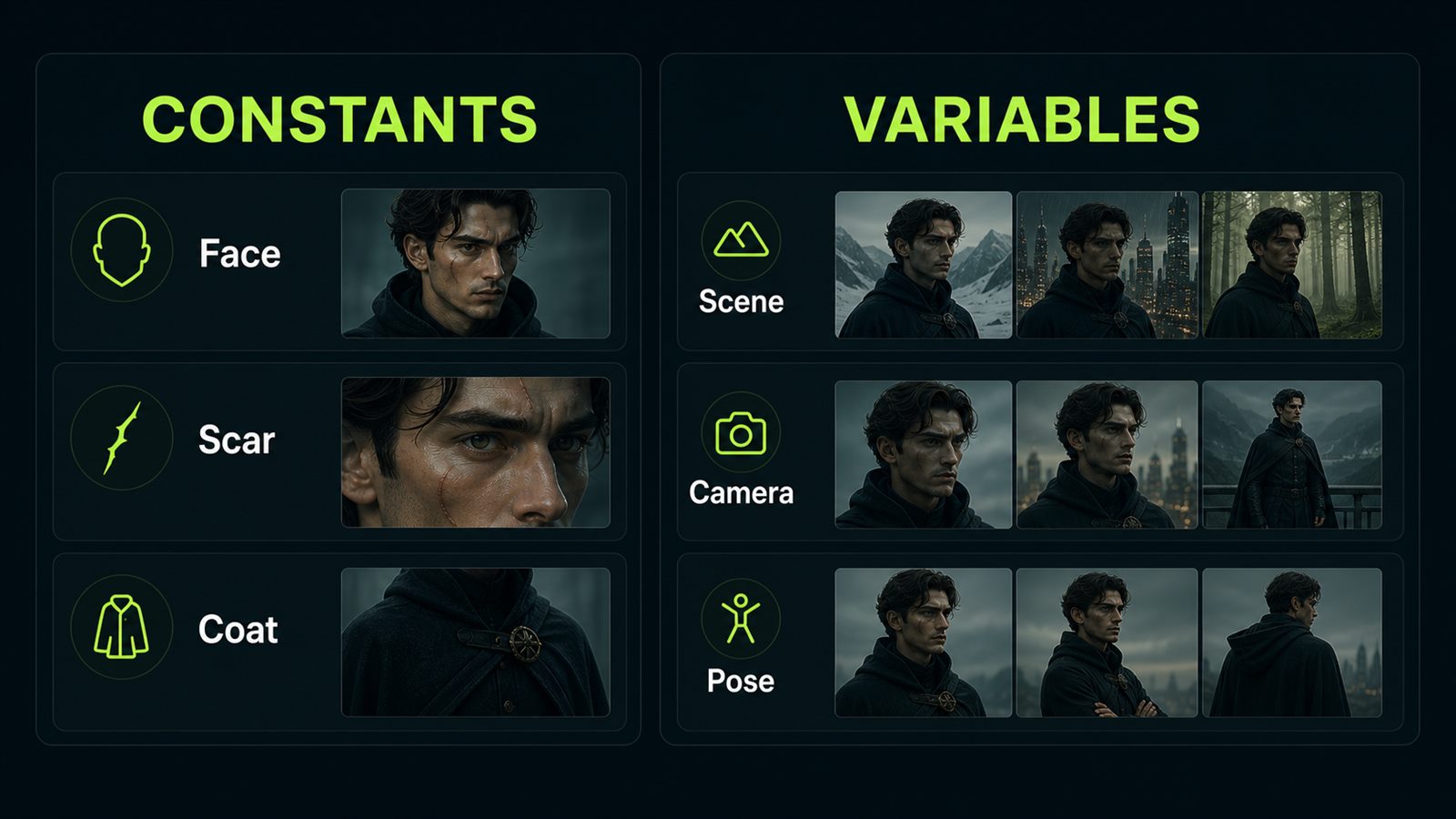
Next, explicitly split what must repeat from what may change. Constants: face, hair, mole or scar, core outfit, body proportions, age, and the overall style. Variables: location, action, shot size, weather, expression, and props. If everything sits in one paragraph, the model cannot infer hierarchy and every frame starts redesigning the character. A useful prompt order is identity first, then scene, then camera, then constraints.
Before
Same character in a cafe, on the street, and in an office, beautiful and realistic.
After
Keep constant: face, black bob haircut, eyebrow scar, green trench coat, silver necklace, body proportions. Vary only: location, pose, camera distance, background action. Scene 1: quiet cafe window at night, medium shot, character reading a notebook.
- 3.
Pick the model for the series type
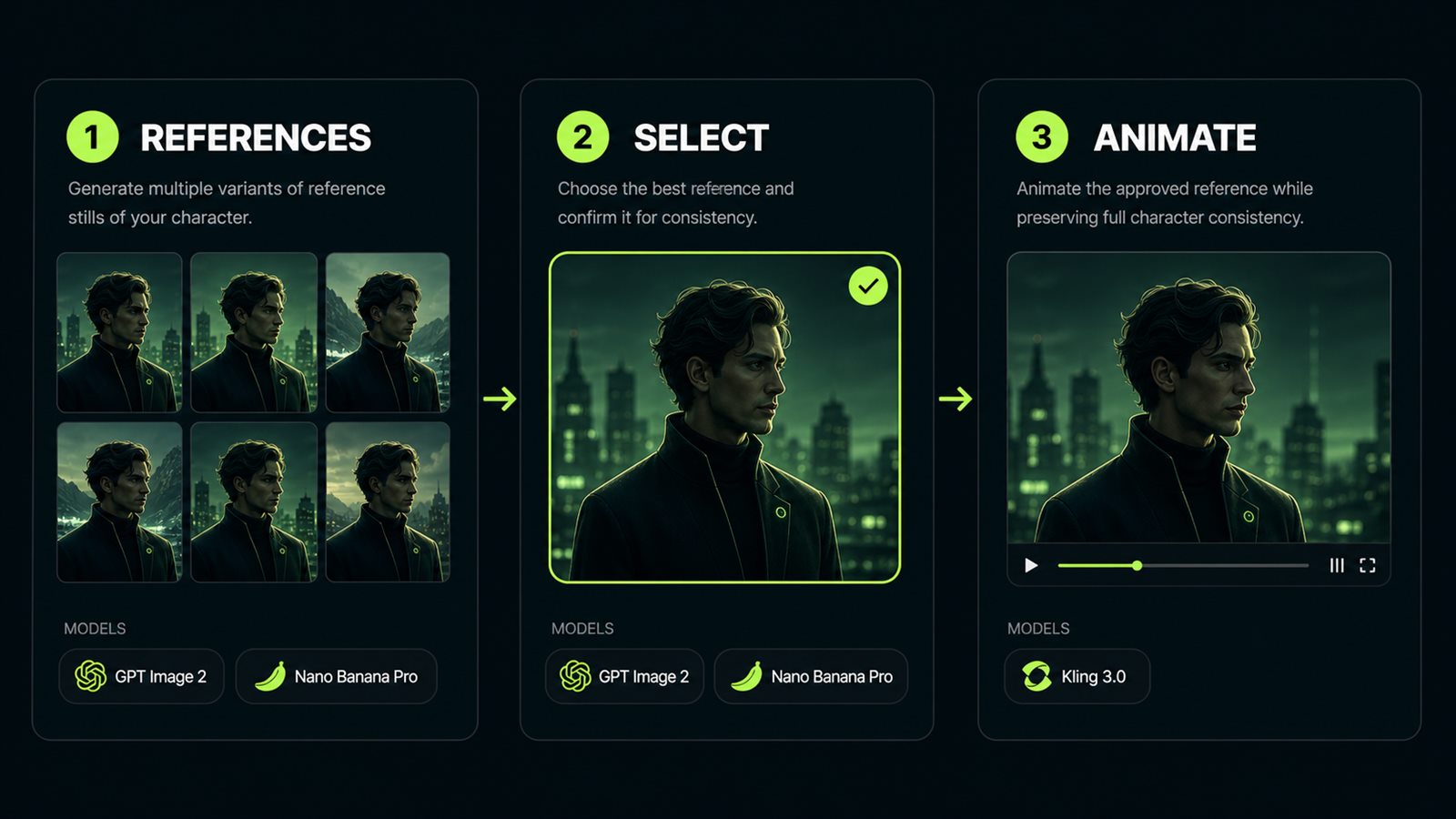
For a still-image sequence, start with GPT Image 2, Nano Banana Pro, or Seedream 5 because they read structured briefs and reference roles well. Flux Kontext is useful for precise edits to an existing frame where composition must stay locked. Midjourney 8.1 is strong on style, but it needs discipline: less JSON, more short repeated traits. For video and image-to-video, use Kling 3.0, Runway Gen-4.5, or Luma Ray 3 after you have a clean reference still. Asking for video before the portrait is stable makes the model repair identity mid-motion.
Before
Create the character and immediately make a 10-second trailer.
After
Stage 1: generate 3 reference stills in GPT Image 2 or Nano Banana Pro. Stage 2: choose one approved still. Stage 3: animate only that still in Kling 3.0 or Runway Gen-4.5 with a preserve block.
- 4.
Fix drift with one precise instruction
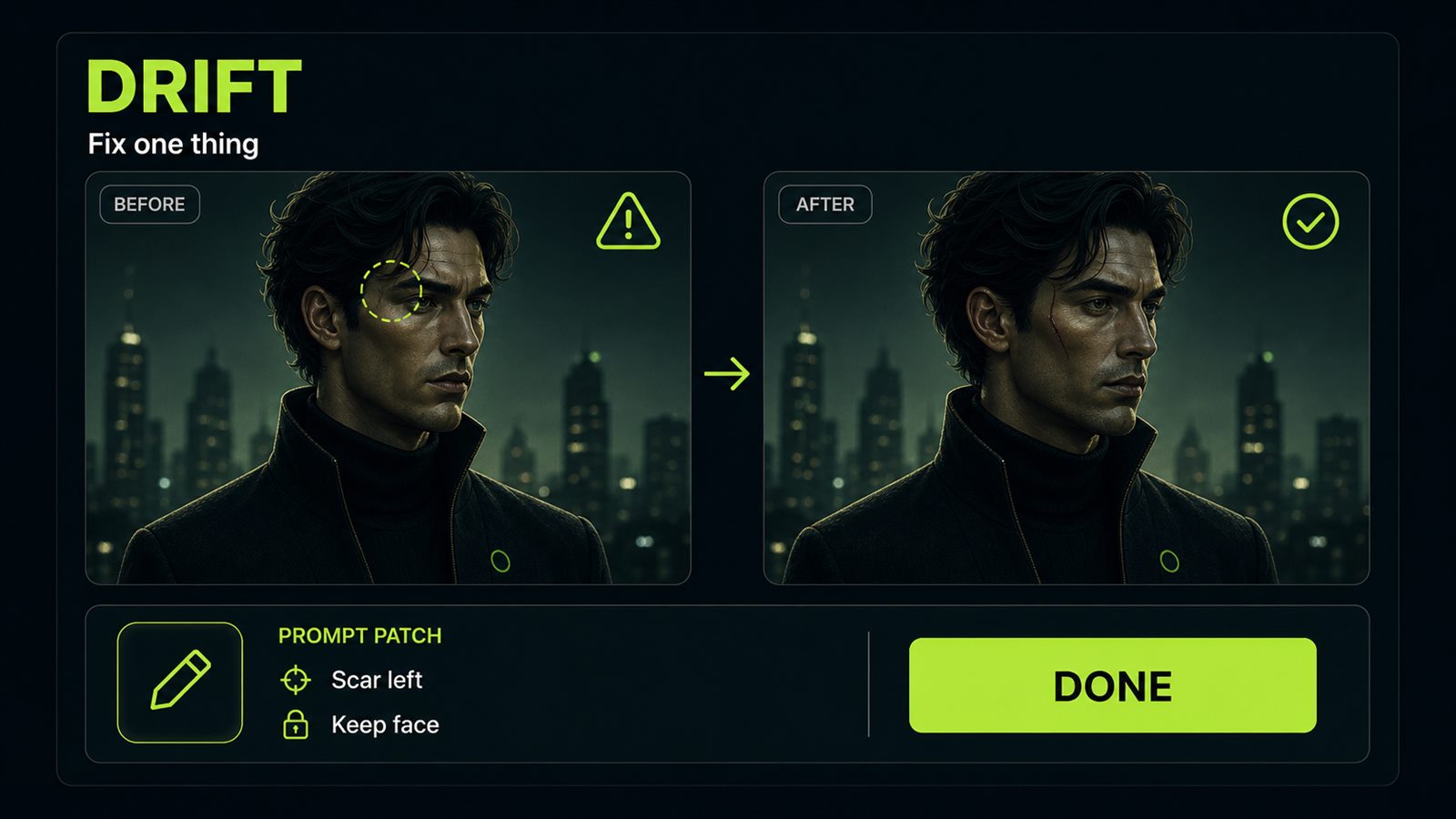
The common mistake is rewriting the whole prompt after the first bad frame. That changes the problem and the successful details at the same time. The better method: identify one drift and issue one correction. In a real detective-character test, Nano Banana Pro's first render put the scar on the right eyebrow instead of the left; rerunning with `preserve the scar on the left eyebrow, do not mirror facial marks` fixed the side without changing the hair or trench coat. In Kling 3.0, animating the same still first produced six fingers; `preserve finger count, keep both hands anatomically correct` removed the artifact without changing the pose.
Before
Regenerate it, same character but better, no mistakes.
After
Change only: move the eyebrow scar back to the left eyebrow. Preserve: face shape, haircut, trench coat, necklace, pose, camera angle, lighting. Constraints: do not mirror facial marks, no new accessories.
- 5.
Review the sequence as a storyboard
Once you have 4-6 usable frames, place them together as a storyboard and compare them as a set, not one by one. Look for five mismatches: changed face shape, missing mark, age shift, unplanned outfit change, and hand or proportion errors. For a brand mascot or comic, add a final consistency prompt: `same character sheet, same identity, different scenes, no redesign`. For video, keep duration short and use one camera move. Fewer events give the model fewer chances to drift.
Before
Make four more scenes with this character.
After
Storyboard QA: compare face shape, eyebrow scar, haircut, necklace, coat color, hand anatomy, age. Generate next scene only after the current frame passes the identity checklist.


