
Negative prompt: remove AI image artifacts
Vlad Voronezhtsev · · Updated: · 6 min read

A negative prompt is the constraint block in an AI image prompt: it tells the model what must not appear in the frame. It helps with artifacts, extra fingers, noisy backgrounds, unwanted styles, and accidental objects, but it works best beside a clear positive scene description, not as a random pile of banned words.
- 1.
Separate what to keep from what to remove
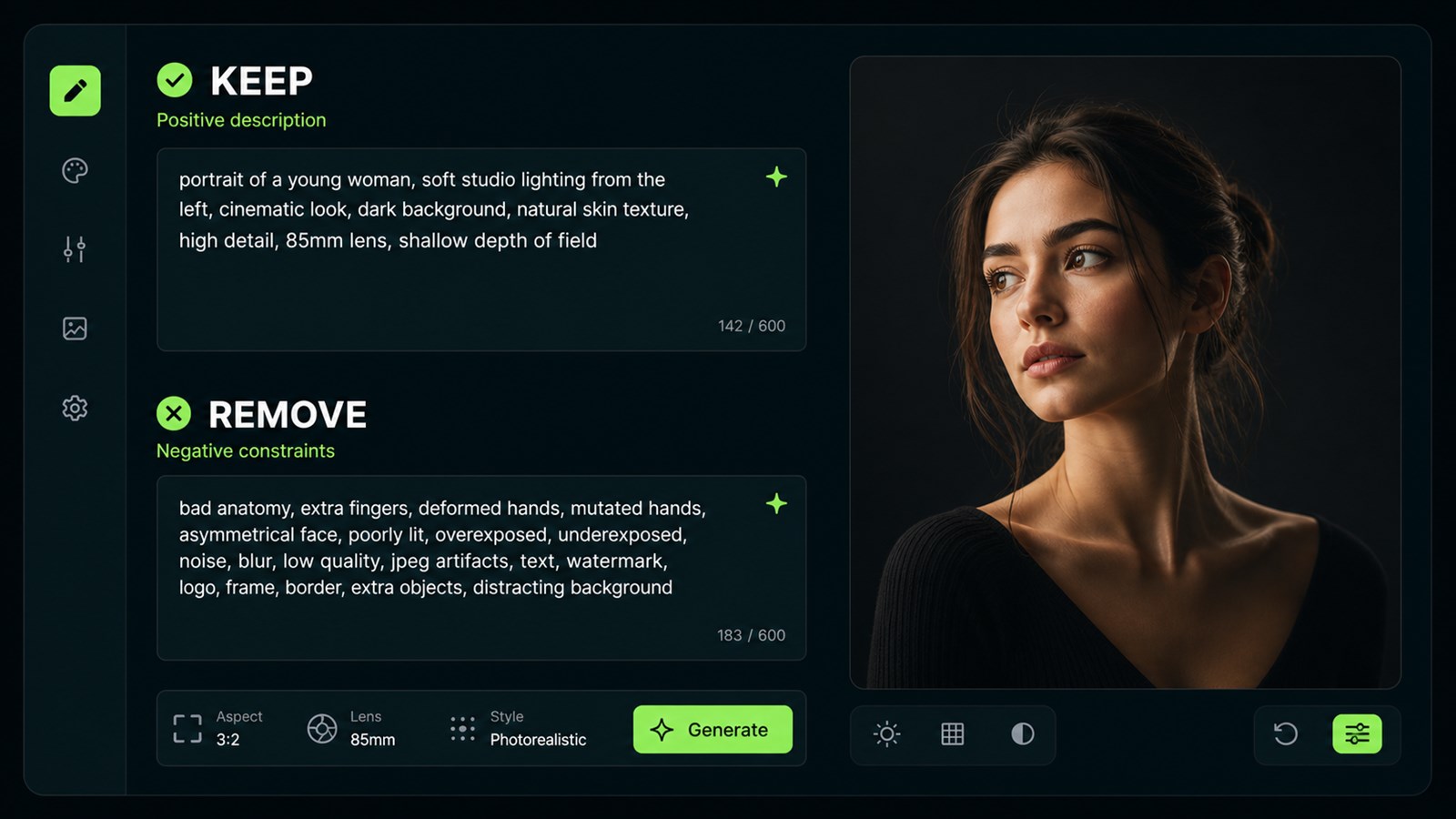
Write the positive prompt first: subject, setting, light, material, camera angle, and intended mood. Then add the negative prompt. If you start with bans, the model gets a map of what to avoid but no strong target. In Imagen 4 Ultra and Seedream 5, this is obvious on product imagery: «matte ceramic cup on a dark table, soft side light» is more stable than a long «no plastic, no glare, no blur» list without the actual scene.
Before
negative prompt: ugly, bad, blurry, plastic, weird, deformed
After
Positive: matte ceramic cup on a dark table, soft side light. Negative: no glossy plastic, no warped handle, no extra objects.
- 2.
Use soft blocks instead of junk lists
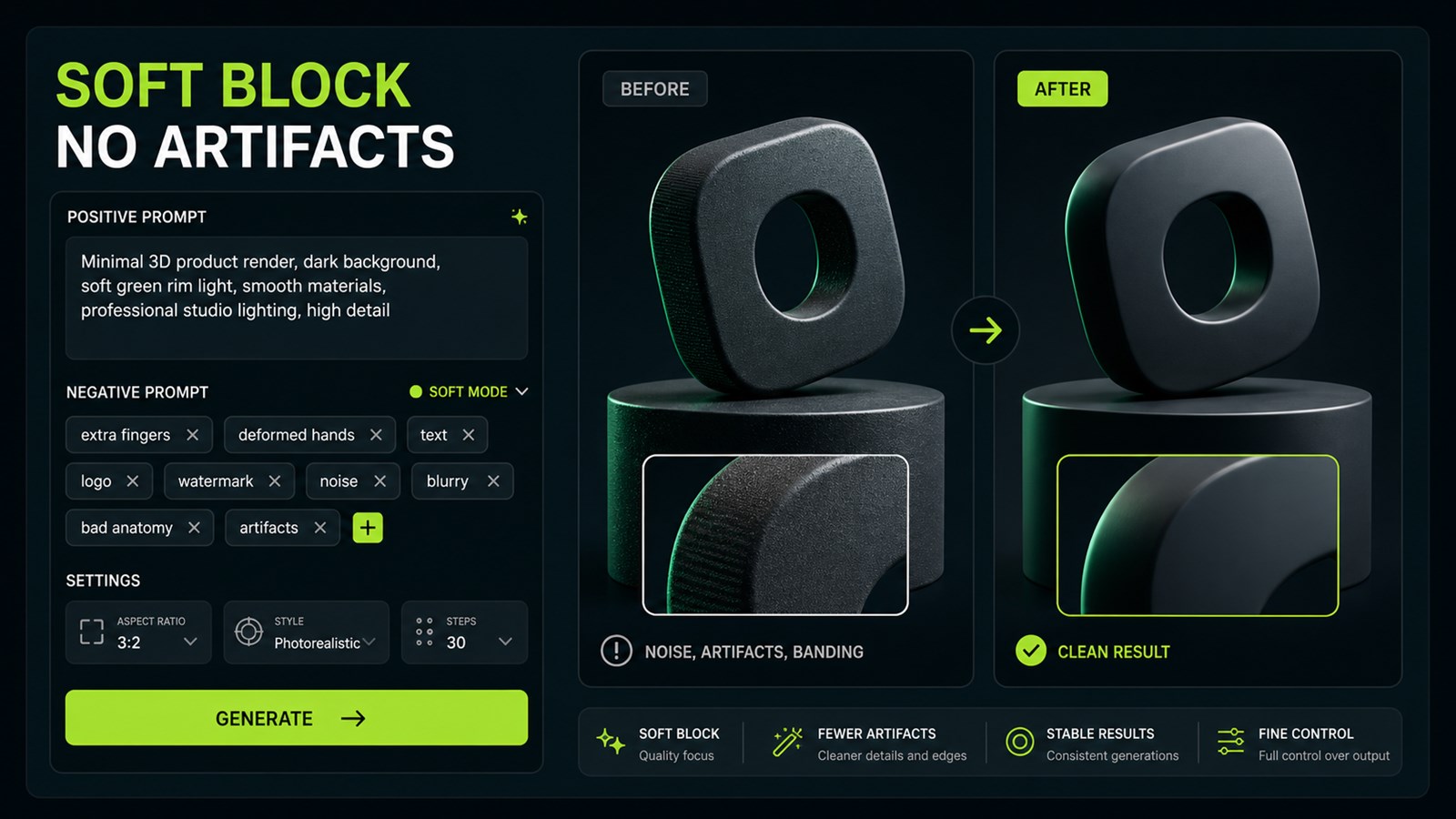
The query «how to remove AI image artifacts» is usually solved by a short list of exact risks, not by a hundred inherited tags. For portraits, those risks are hands, skin, teeth, background, and unwanted objects. For a logo, they are tiny text, pseudo-letters, complex shadows, and photo texture. In Midjourney 8.2, the official `--no` parameter tells the model what should not appear; use it for specific objects or traits and keep desired style control in the main prompt.
Before
no ugly, no bad anatomy, no low quality, no worst quality, no jpeg artifacts, no mutation, no noise, no text, no logo
After
no extra fingers, no melted jewelry, no text in background, no plastic skin
- 3.
Keep the negative prompt to 3-7 rules
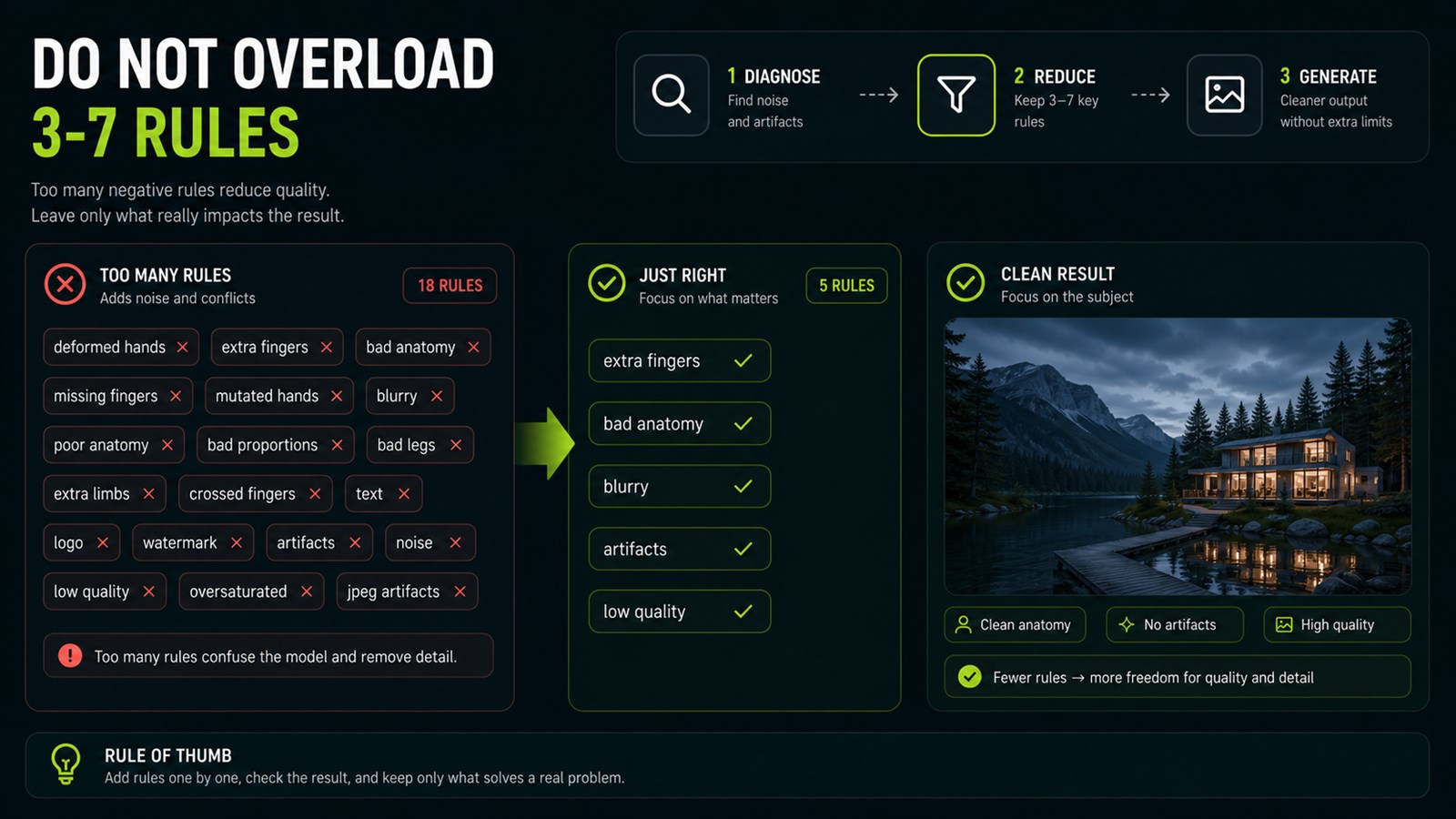
The longer the banned list gets, the more likely the model is to fight itself. The practical rule is simple: keep only the mistakes that are plausible for this specific image. If you generate a product shot, there is no reason to ban extra fingers. If you generate a portrait, do not spend space on «no watermark» unless the scene has a real watermark risk. GPT Image 2 and Nano Banana Pro often respond better to positive constraints like «clean empty background, readable product silhouette» than to a bloated negative tail.
Before
no hands, no people, no cars, no animals, no city, no text, no blur, no artifacts, no bad quality, no shadows, no reflections, no dust
After
no extra objects, no warped edges, no unreadable text, no harsh reflections
- 4.
Test the model on the first render
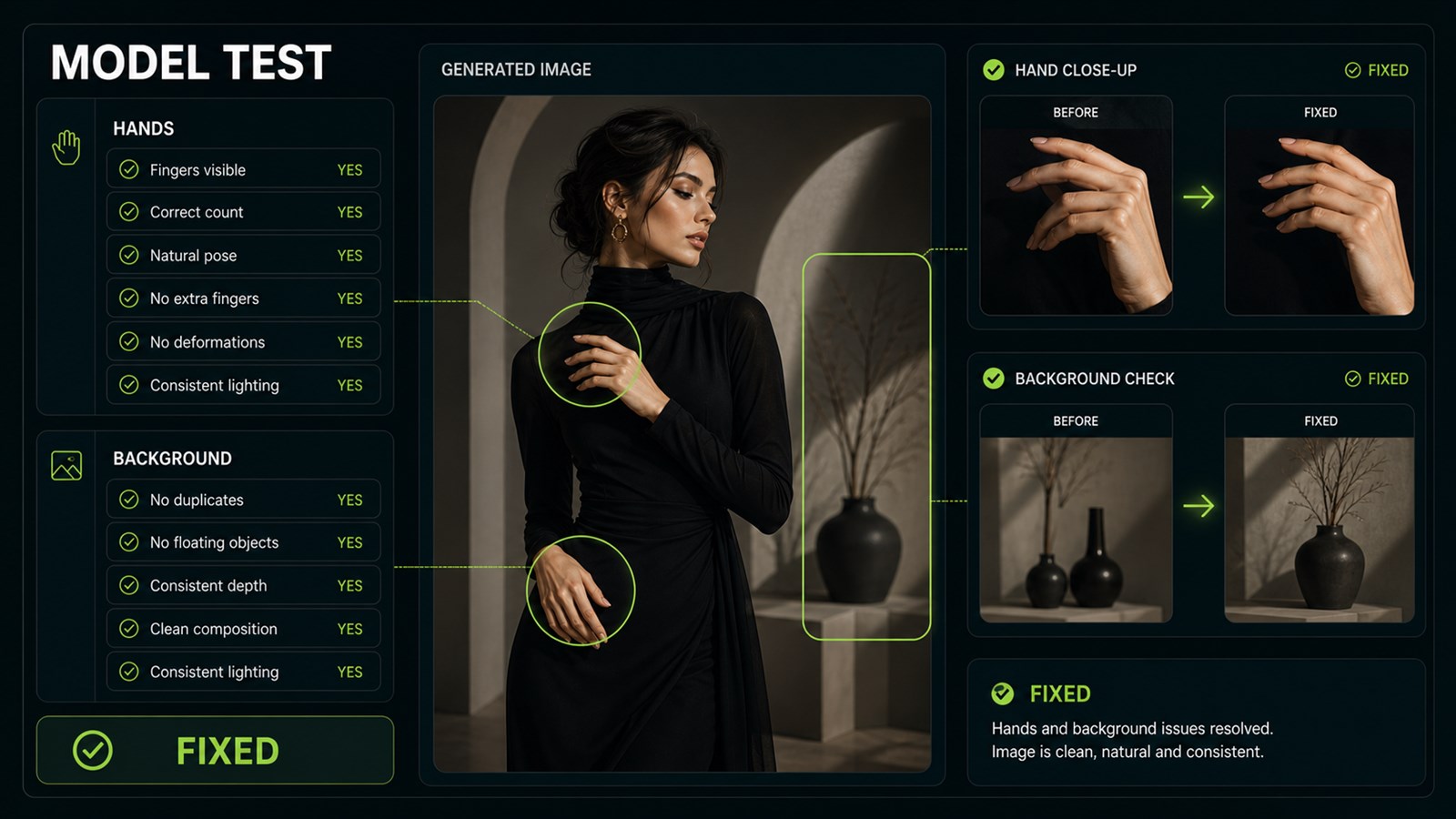
Use the first render as a diagnostic, not as proof of a universal recipe. If a fashion image has glossy skin or a malformed hand, do not reach first for a vague `bad anatomy` tag. Test a precise patch: `natural skin texture, preserve five fingers on each visible hand; negative: no glossy plastic skin, no extra fingers, no fused fingers`. Compare it with the same seed or the closest available settings while changing only that block, then keep the constraint only if it helps your model.
Before
Fashion portrait in a green coat, studio light, magazine look. Negative: bad anatomy.
After
Fashion portrait in a green coat, studio light. Preserve five fingers on each visible hand. Negative: no glossy plastic skin, no extra fingers, no fused fingers.


Sources and related guides
The factual basis for this article and useful next reads. External links point to official documentation.
- Official sourceMidjourney: Parameter List ↗The official parameter list documents `--no` and the currently supported image and video controls.
- Opten guideMidjourney 8.2 prompt structure and parameters ↗Current-version guidance on prompt order, parameters, and common mistakes.
- Opten guideGPT Image 2 positive constraints and examples ↗When a clear positive instruction is more useful than a long exclusion list.

